
How to Cancel a Route in the Portal
If you no longer need a route, there are two ways to cancel.
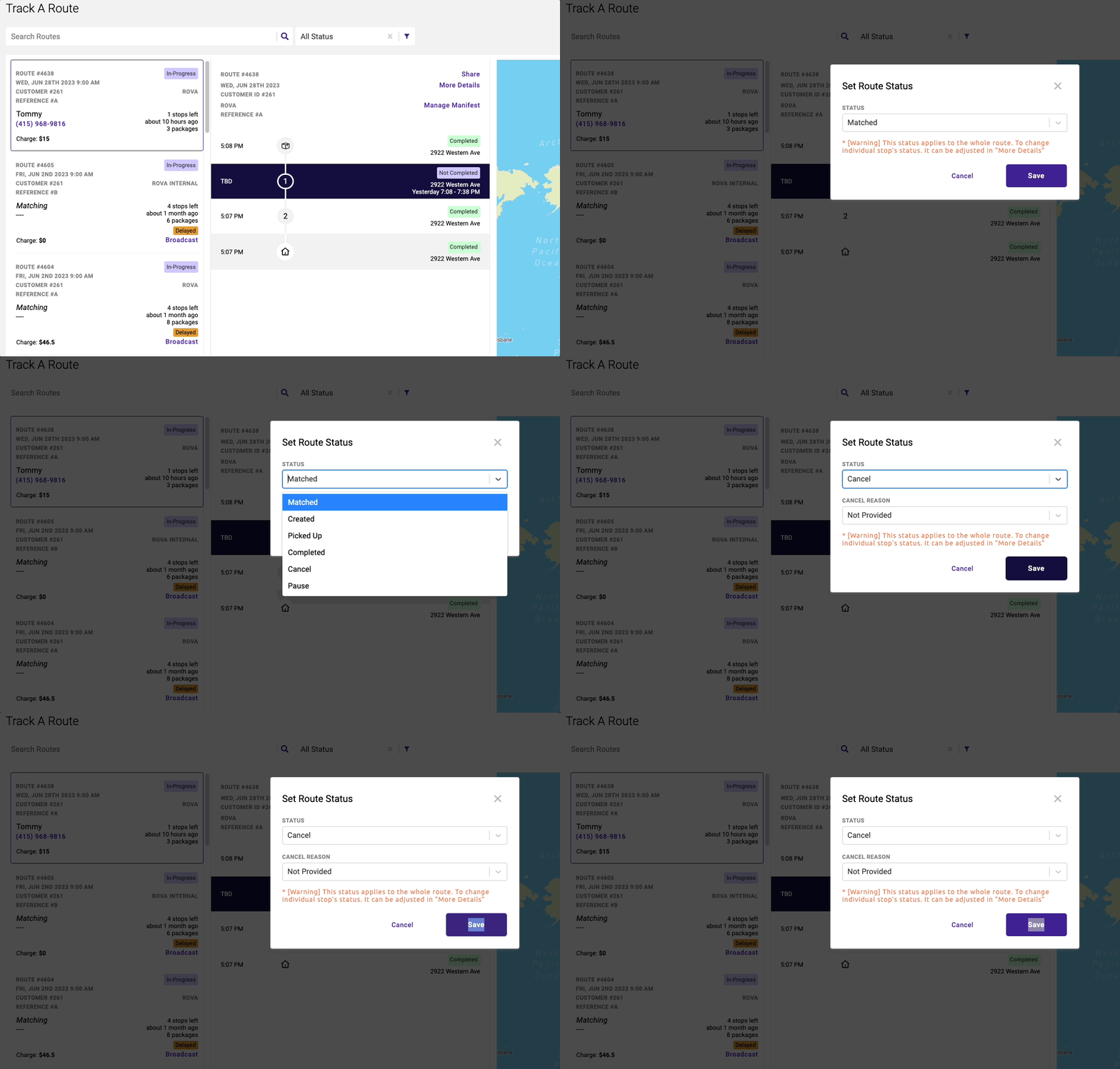
Canceling in the Tracking Page.
- Mouse Over the Progress tag
- An edit icon will appear next to the actionable tags
- Click the tag
- A drop down box will appear.
- Select
Cancelin the drop down. - Click
Save
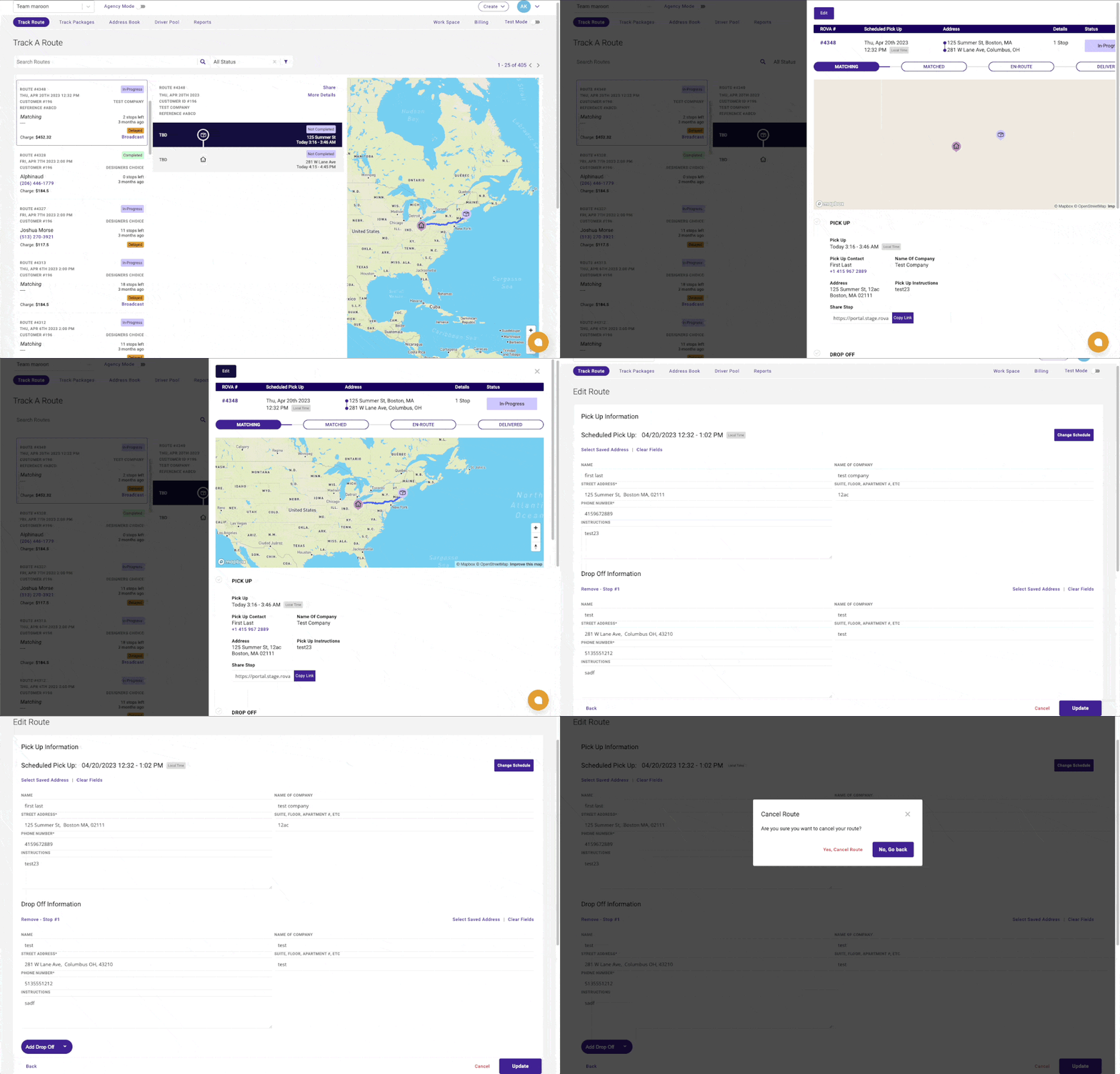
Canceling by Editing a route.
- Under More Detail
- Select Edit
- Select Cancel Route
Have a question about this article?Contact our support team